
Snapping
Align rooms, walls, and layout elements more easily with snapping behavior while editing the plan.
FloorPlan AI combines a simplified web floor plan editor with AI layout assistance. Build the plan manually, add rooms and site elements, or request layout changes by text when you want the AI to help reshape the house plan.
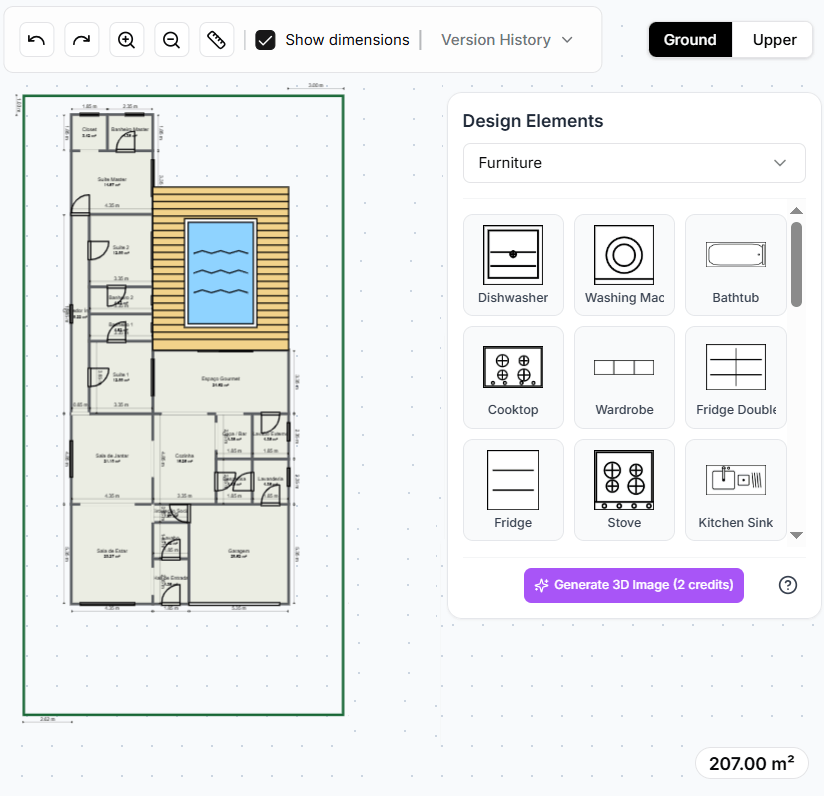
Manual and AI editing
The floor plan creator is built for fast residential layout work. You can use the editor manually when you need direct control over rooms, dimensions, furniture, openings, and outdoor spaces. It is a practical floor plan maker for early concepts and quick plan adjustments.
When the layout needs a bigger change, you can use text instructions with the AI Floor Plan Generator. Ask the AI to move rooms, improve circulation, add a garage, resize an area, or create a new variation, then continue editing the updated house plan in the web editor.
Editor tools
Use familiar editing controls in the browser. The goal is to keep floor plan editing approachable while still supporting the details needed for a useful house plan.
Align rooms, walls, and layout elements more easily with snapping behavior while editing the plan.
Try layout changes with less friction by stepping backward and forward as you refine the house plan.
Move from a full layout view to detailed edits around rooms, openings, furniture, or outdoor areas.
Use a simplified browser-based floor plan editor without installing desktop CAD software.
Workflow
Start with a blank layout or AI-generated plan, refine it in the editor, then continue to 3D, export, or visual rendering when the design is ready.
Open the floor plan maker directly, or begin with an AI-generated layout from FloorPlan AI.
Adjust rooms, walls, dimensions, openings, furniture, lot details, pool, and outdoor spaces with simplified editing controls.
Use text instructions to request layout changes, then review the updated house plan in the editor.
Preview the design in 3D, export your project, or create a rendered floor plan for presentation.
What you can add
A floor plan editor is most useful when it covers more than empty rooms. Add the building lot, rooms, furniture, openings, pool, and outdoor areas so the layout can be reviewed as a complete residential concept.
Add the lot where the house will be built so the layout can be reviewed with site constraints in mind.
Create bedrooms, bathrooms, kitchens, living rooms, offices, garages, laundry areas, and more.
Add doors, windows, passages, garage gates, and other openings to make the plan easier to understand.
Place furniture to test room usability, circulation, and how the layout works in everyday use.
Add a pool to the outdoor layout when the residential design includes leisure or backyard planning.
Represent patios, gardens, yards, terraces, and exterior zones around the house plan.
Next step
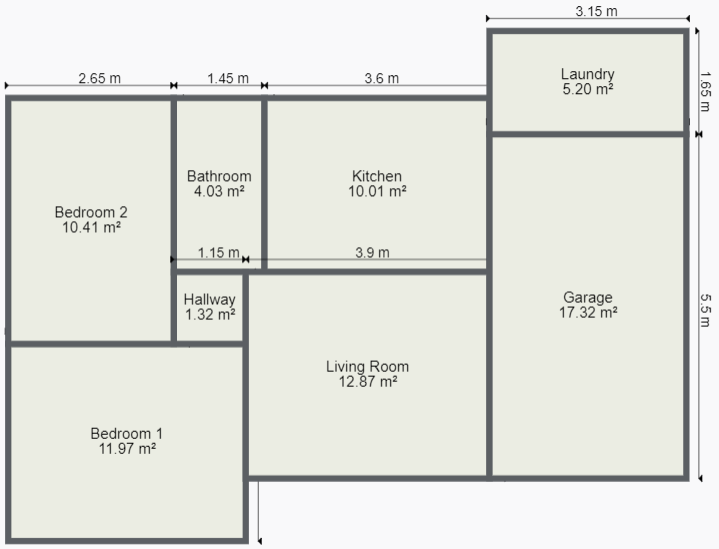
Once the layout is clear, you can create a visual presentation version of the design. A rendered floor plan can add color, furniture, textures, and context so the plan is easier for clients, buyers, or stakeholders to understand.
This keeps the workflow connected: create the plan, edit it, improve the layout with AI when needed, then present the design with a clearer visual output.
Use cases
Use FloorPlan AI when you need a floor plan editor that can support both hands-on changes and AI-assisted layout updates. The web editor is useful for early concepts, remodeling ideas, real estate plan drafts, and residential layout studies.
Because the plan can include rooms, furniture, openings, lot shape, pool, and outdoor areas, it can communicate more than a simple room diagram. It becomes a working house plan that can move into 3D, rendering, or export workflows.
FAQ
The floor plan creator is a web-based floor plan maker and floor plan editor for residential layouts. You can create rooms, edit dimensions, add openings, place furniture, include a lot, and prepare the design for 3D or rendering workflows.
Yes. You can request layout changes with text instructions through the AI workflow. For example, you can ask to move a room, improve circulation, add a garage, resize a bedroom, or create a new house plan variation.
Yes. The editor is designed for simplified web editing with tools such as snapping, undo, redo, zoom, room editing, openings, furniture, lot editing, pool placement, and outdoor area planning.
Yes. After editing the layout, you can use the rendered floor plan workflow to create a visual presentation image with colors, textures, furniture, and clearer context.
Start with the online floor plan maker, refine the layout in the web editor, ask AI for changes when needed, and create a rendered floor plan when the design is ready to share.
Open FloorPlan AI