Color floor plan output
Generate a color floor plan with rooms, furniture, textures, flooring, and visual contrast that make the layout easier to understand.
FloorPlan AI helps you move from a technical layout to a presentation-ready rendered floor plan. When you need a color floor plan for a client, listing, or concept review, you can add furniture, textures, room context, and clean visual hierarchy without rebuilding the design from scratch.
Better plan visuals
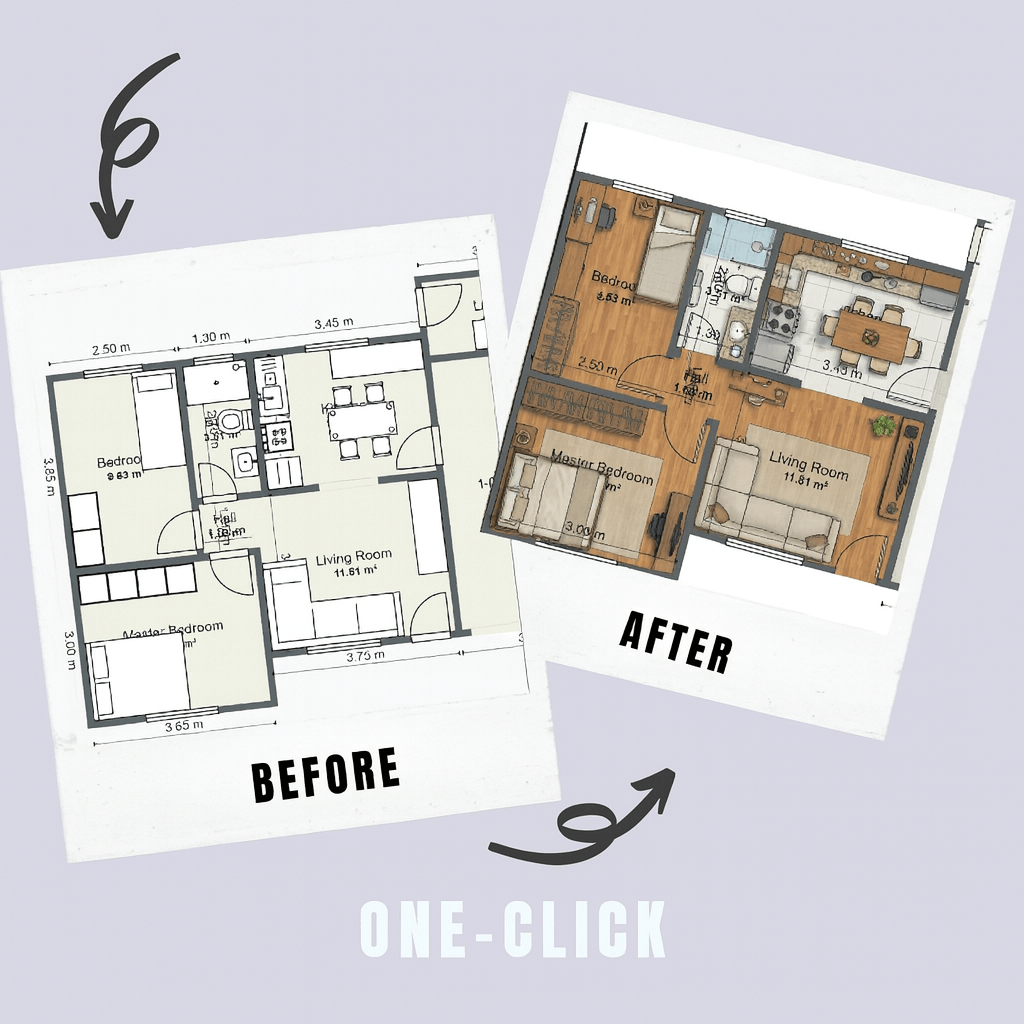
A standard floor plan is useful for dimensions and structure, but it can be difficult for non-technical clients to read. A rendered floor plan adds visual cues that explain how each room works. Color, flooring, furniture, counters, beds, tables, fixtures, and outdoor context can make the design feel much more complete.
Rendered Floor Plan Generation is built for the moment between early layout planning and final visual production. Use the rendered view to validate circulation, communicate room function, prepare a listing image, or support a renovation proposal.
For projects that include outdoor context, the same top-down visual language can support an early site plan render discussion before you move into detailed modeling or exterior imagery.
Feature highlights
Work from the same layout you generate and edit in FloorPlan AI. The goal is to keep the plan accurate while making the result more visual, more readable, and easier to present.
Generate a color floor plan with rooms, furniture, textures, flooring, and visual contrast that make the layout easier to understand.
Start from a floor plan generated by AI or edited online, then create a clean plan rendering for client reviews and design presentations.
Keep the structure of the plan clear while adding visual hierarchy, furniture placement, material cues, and rendered room context.
Explore rendered floor plan generation before committing to a final 3D render, interior rendering, or exterior concept.
Workflow
Keep the process connected: generate the layout, refine it in the editor FloorPlan Creator, then create a rendered floor plan for review, marketing, or design communication.
Use the AI floor plan generator to create a layout from a prompt, or open an existing plan in the online editor.
Adjust walls, room names, dimensions, doors, windows, circulation, and layout details before creating the render.
Use rendered floor plan generation to produce a visual plan with color, textures, furniture, and presentation-ready styling.
Use the result for a client presentation, continue to 3D, generate interior renders, or export your project workflow.
SEO and presentation use cases
A color floor plan is one of the most practical presentation assets in residential design. It keeps the clarity of a top-down floor plan while adding enough visual information to make each room immediately understandable. Viewers can see where the living room, kitchen, bedrooms, bathrooms, garage, and outdoor areas are located without needing to interpret a technical drawing.
Plan rendering is useful for architects, designers, real estate teams, builders, remodelers, and homeowners who need to explain a layout quickly. It can help a client compare two floor plan options, review furniture placement, understand circulation, and decide whether the project should move to a detailed 3D model or interior rendering.
For early concept work, a site plan render or top-down plan visual can also support discussions about building placement, outdoor zones, entrances, patios, landscape areas, and the relationship between interior spaces and exterior context. The result is not just decorative. It improves communication and reduces the time spent explaining what the plan means.
FAQ
Rendered floor plan generation turns a 2D floor plan into a more visual presentation image. Instead of showing only lines and room labels, it can include color, textures, furniture, room context, and styling that make the design easier to understand.
No. A rendered floor plan is usually a top-down 2D plan rendering with visual details. A 3D floor plan shows volume and perspective. Many projects use both: a color floor plan for fast layout review and a 3D floor plan for spatial visualization.
Yes. The feature is designed for color floor plan presentations where clients, buyers, or stakeholders need to understand room function, furniture placement, and layout flow quickly.
FloorPlan AI focuses on floor plans, layout editing, 3D conversion, and rendering workflows. For early presentations, the rendered plan output can support site plan render discussions when a clear top-down plan view is needed.
Use FloorPlan AI to generate a plan, edit it online, and create a visual plan rendering that is ready for client feedback, presentations, listings, and concept reviews.
Start rendered floor plan generation