
Guided floor plan generation
Answer structured questions about rooms, area, entrances, garage, dimensions, and project constraints when you want a guided workflow.
Use AI to design floor plans
FloorPlan AI helps you generate residential floor plans from a guided process or from a free-text prompt. Describe the house, choose the rooms, add constraints, and create a layout that can include openings, circulation, and room relationships from the first draft.
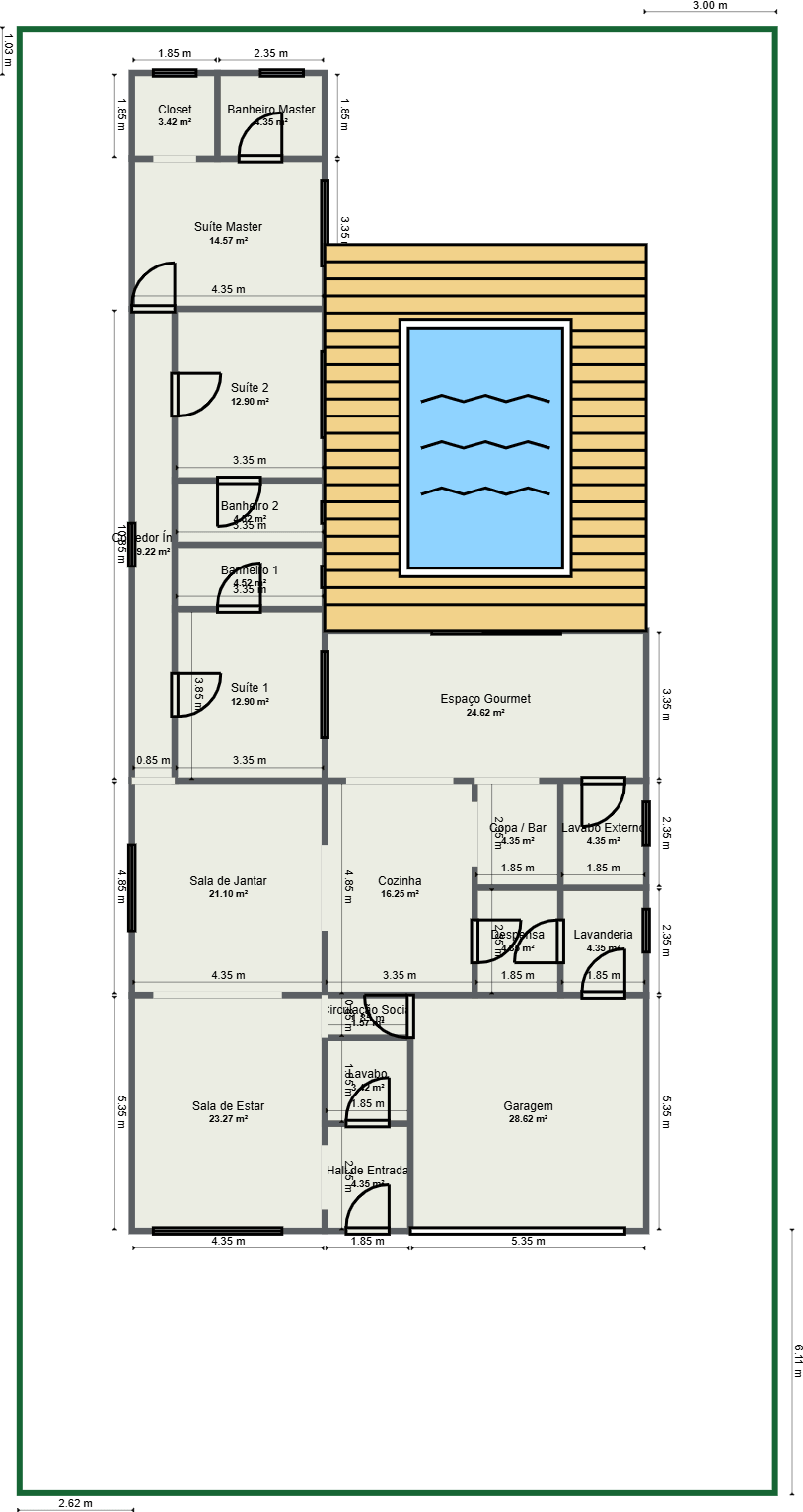
Flexible input
Some projects need structure. In guided mode, FloorPlan AI asks for the essentials: house size, rooms, approximate areas, entrances, garage position, floor count, and design priorities. This is useful when you want the generator to help organize the brief before creating the floor plan.
Other projects start from a detailed idea. In free-text mode, you can write the full prompt yourself, such as a two-story residential house with a garage on the south side, bedrooms on the upper floor, an open kitchen and living area, and a service entrance near the laundry. The more complete the prompt, the better the generated layout can match your intent.
Feature highlights
Generate one- or two-story residential plans, then keep improving the house plan in the Floor Plan Creator. FloorPlan AI focuses on layout logic, room placement, openings, and practical circulation.
Answer structured questions about rooms, area, entrances, garage, dimensions, and project constraints when you want a guided workflow.
Describe the house plan in your own words, including room list, size goals, orientation, circulation, and special layout requests.
The generation can include doors, windows, and other openings, helping the layout feel more usable from the first draft.
Generate residential floor plans for one or two-story homes, then continue refining the result in the editor.
Workflow
Start with the information you already have. The AI generates a draft layout, and then the editor: Floor Plan Creator and chat help you refine the design into a clearer residential floor plan.
Use the guided intake when you want structure, or write a free-text prompt when you already know the full house plan brief.
Include rooms, approximate areas, maximum dimensions, number of floors, entrance direction, garage placement, privacy needs, and circulation preferences.
FloorPlan AI creates a floor plan with the residence layout, room organization, and openings such as doors and windows.
After the first version, ask for house plan changes in chat, such as moving a room, resizing an area, adding an office, or improving circulation.
Better prompts
The AI can infer a lot from a short request, but a detailed residential brief gives it better constraints. A strong prompt explains the site direction, the room program, floor count, room sizes, garage placement, privacy needs, and how people should move through the home.
The generated floor plan can include the layout of the residence, circulation zones, and openings such as doors, windows, garage gates, and passages. After generation, you can keep editing manually or ask chat to adjust the house plan.
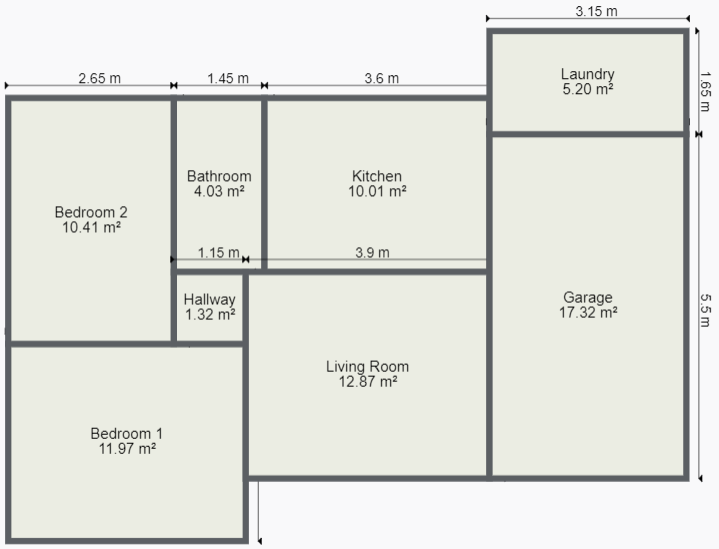
Chat changes
The first AI result is a starting point. Via chat, you can ask FloorPlan AI to change the house plan: move the kitchen closer to the dining room, enlarge the master suite, add an office, improve the hallway, change the garage position, or adjust bedroom privacy.
This makes the workflow more conversational. You can generate a draft, evaluate it, request a new variation, and keep refining the residential layout before exporting or moving to 3D and rendering.
Use cases
Use AI to design floor plans when you need early options before committing to a final layout. The generator is useful for comparing room arrangements, testing garage placement, checking whether a two-story concept makes sense, and creating a base plan for 3D or rendering.
Because the result opens in the editor, the generated plan is not a static image. You can review dimensions, modify rooms, improve openings, export the project, preview the 3D floor plan, and continue into interior or exterior rendering workflows.
FAQ
Yes. FloorPlan AI lets you use AI to design floor plans from a guided workflow or a free-text prompt. You can describe the rooms, dimensions, entrance direction, garage, number of floors, and layout preferences.
Yes. FloorPlan AI can generate residential floor plans up to two floors. You can specify whether the project is one story or two stories and describe how rooms should be distributed between floors.
The AI generation can include openings such as doors, windows, garage gates, and passages, along with the overall residential layout. More detail in the prompt helps produce a stronger first result.
Yes. You can use chat to request changes to the house plan, such as moving rooms, changing sizes, improving circulation, adding rooms, or refining the layout before continuing in the editor.
Start with a guided intake or free-text prompt, generate a house plan with openings and layout logic, and use chat or the editor to refine the result.
Use AI to design floor plans